.png?fit=max&auto=format&n=VrRd9ylcA_lbpmt6&q=85&s=4eb75c6784eda09d9cdee2d5224ca0e8)

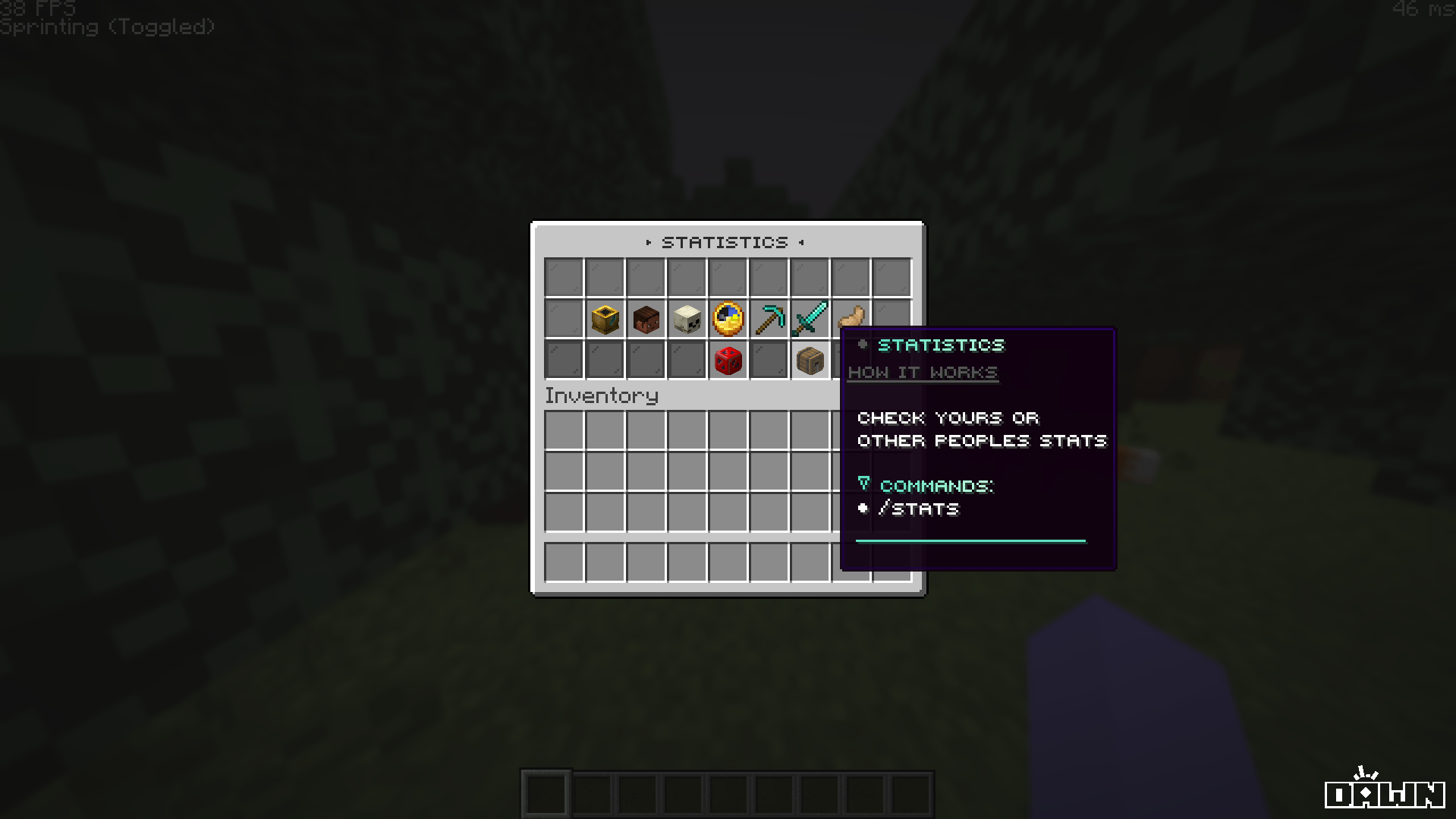
Key Features
The Stats GUI is engineered not just for utility, but for a premium user experience.Small Caps & Gradients
The entire menu is fully stylized with modern small-caps text, custom hex color gradients, and sleek glass pane background borders.
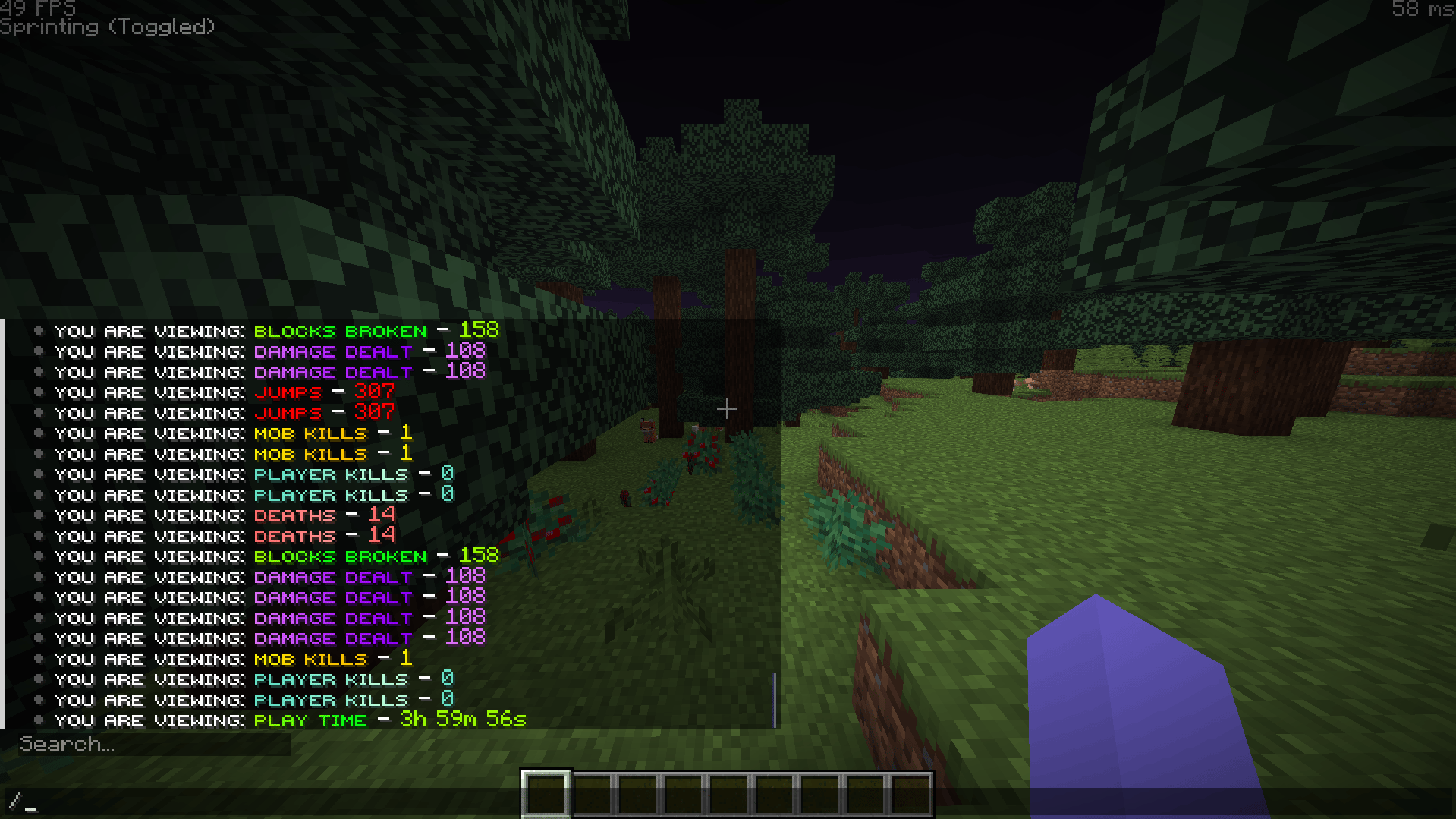
Interactive Feedback
Left-clicking any statistic plays a clean
UI_BUTTON_CLICK sound and outputs that specific statistic directly into the player’s chat.View Other Players
Built-in support for viewing other players’ statistics via the seamlessly integrated
stats_others.yml layout.Custom Head Textures
Utilizes Base64 custom player heads for specific icons (like player kills, mob kills, and deaths) to make the UI pop without needing texture packs.
Tracked Statistics
Out of the box, the Stats GUI tracks and displays 7 essential player data points. Here is a breakdown of what is tracked and the internal PlaceholderAPI variables powering them: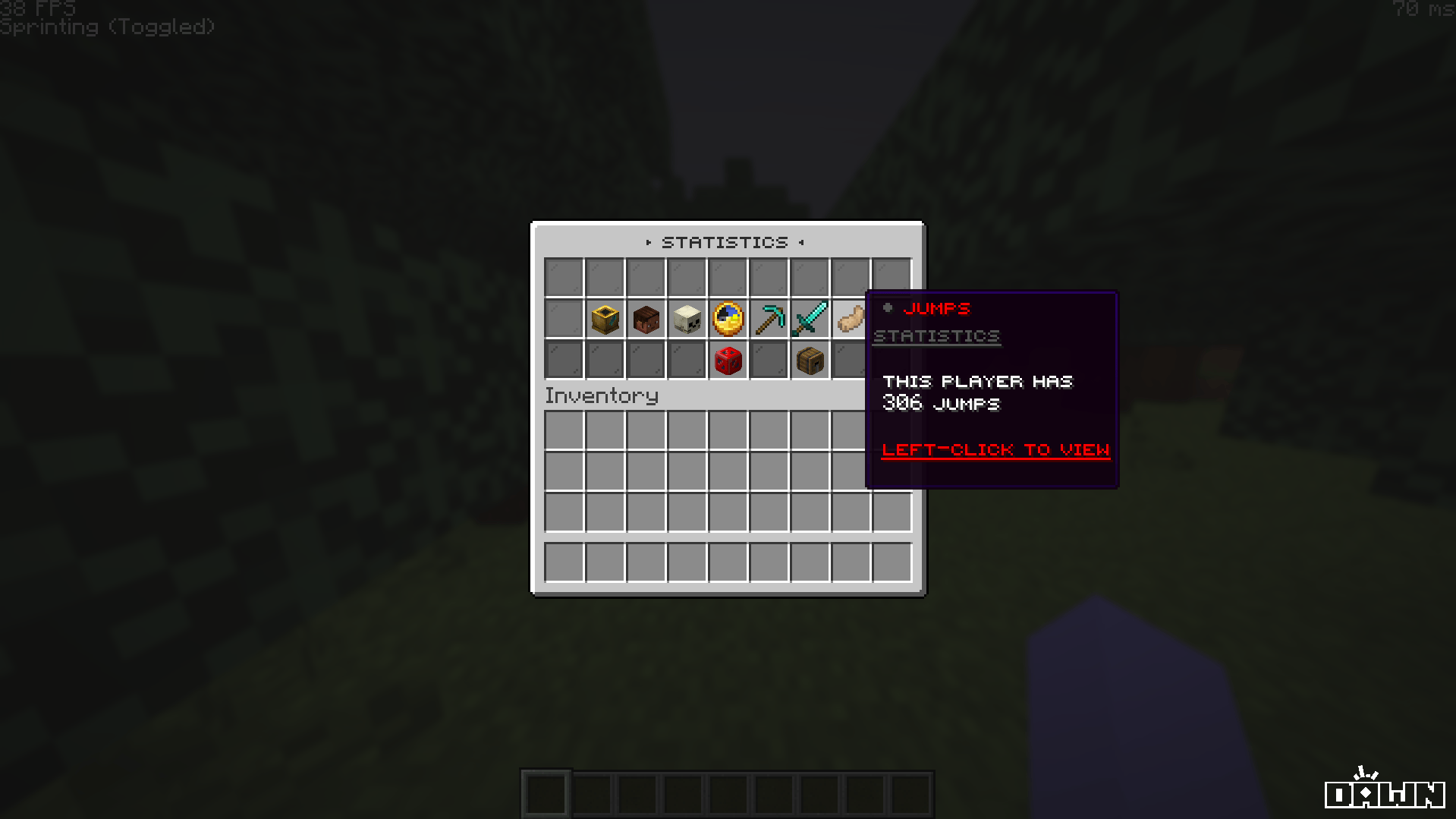
%statistic_player_kills%
Displayed using a Custom Player Head texture.
%statistic_mob_kills%
Displayed using a Custom Player Head texture.
%statistic_deaths%
Displayed using a Custom Player Head texture.
%statistic_time_played%
Displayed using a Clock item.
%statistic_mine_block%
Displayed using a Diamond Pickaxe item.
%statistic_damage_dealt%
Displayed using a Diamond Sword item.
%statistic_jump%
Displayed using a Rabbit’s Foot item.
Commands & Permissions
By default, the main GUI is bound to multiple easy-to-remember aliases.The menu requires the permission node
deluxemenus.menu.stats to open. By default, most permission managers grant access to DeluxeMenus to default players, but if your players get a “no permission” error, ensure they have this node!Installation Guide
Before installing, ensure you have DeluxeMenus and PlaceholderAPI installed on your server.1
Download Placeholder Expansions
This menu relies heavily on PlaceholderAPI. You must install the required expansions for the statistics to display correctly.Run the following commands in your server console (or in-game as an OP):
2
Install the Configuration
Unzip the downloaded Sentry Studios package, and drag and drop the
stats.yml and stats_others.yml files into your server’s plugins/DeluxeMenus/gui_menus/other_menus/ folder.3
Register in DeluxeMenus
Open your DeluxeMenus
config.yml file and register both menus under the gui_menus: section:config.yml
4
Reload DeluxeMenus
Finally, reload DeluxeMenus to apply the new configurations:
Troubleshooting
Placeholders are showing up as plain text
Placeholders are showing up as plain text
This means PlaceholderAPI doesn’t have the required expansion installed to parse the variable (e.g.,
%statistic_player_kills%). Make sure you ran /papi ecloud download Statistic and /papi reload.Players get a 'You don't have permission' error
Players get a 'You don't have permission' error
Give your default player group the
deluxemenus.menu.stats and deluxemenus.menu.stats_others permissions.