.png?fit=max&auto=format&n=VrRd9ylcA_lbpmt6&q=85&s=4eb75c6784eda09d9cdee2d5224ca0e8)

1. The Modular Wiping Engine
Unlike traditional wiping tools that act as a blunt hammer, SentryWipe acts as a scalpel. You control exactly what gets deleted.Preset Wipes
Pre-define configurations in
presets.yml (e.g., soft, full, seasonal) to standardize wipes across your staff team.Custom GUI Wipes
Don’t want to use a preset? Open the in-game GUI and manually toggle individual data points (XP, Inventory, Homes) on or off before executing.
Use Case: The Economy Exploit (Soft Wipe)
Players discovered a duplication glitch and ruined the economy. Instead of resetting their hard-earned builds or levels, use aneconomy_reset preset that only wipes their balance and inventory.

Use Case: The Persistent Hacker (Nuclear Wipe)
A malicious player has been banned, but they have multiple homes set and potentially hidden items. Use thefull preset. SentryWipe deletes their .dat file, strips their LuckPerms ranks, and removes all Essentials homes.
2. Interactive Admin GUI & Filtering
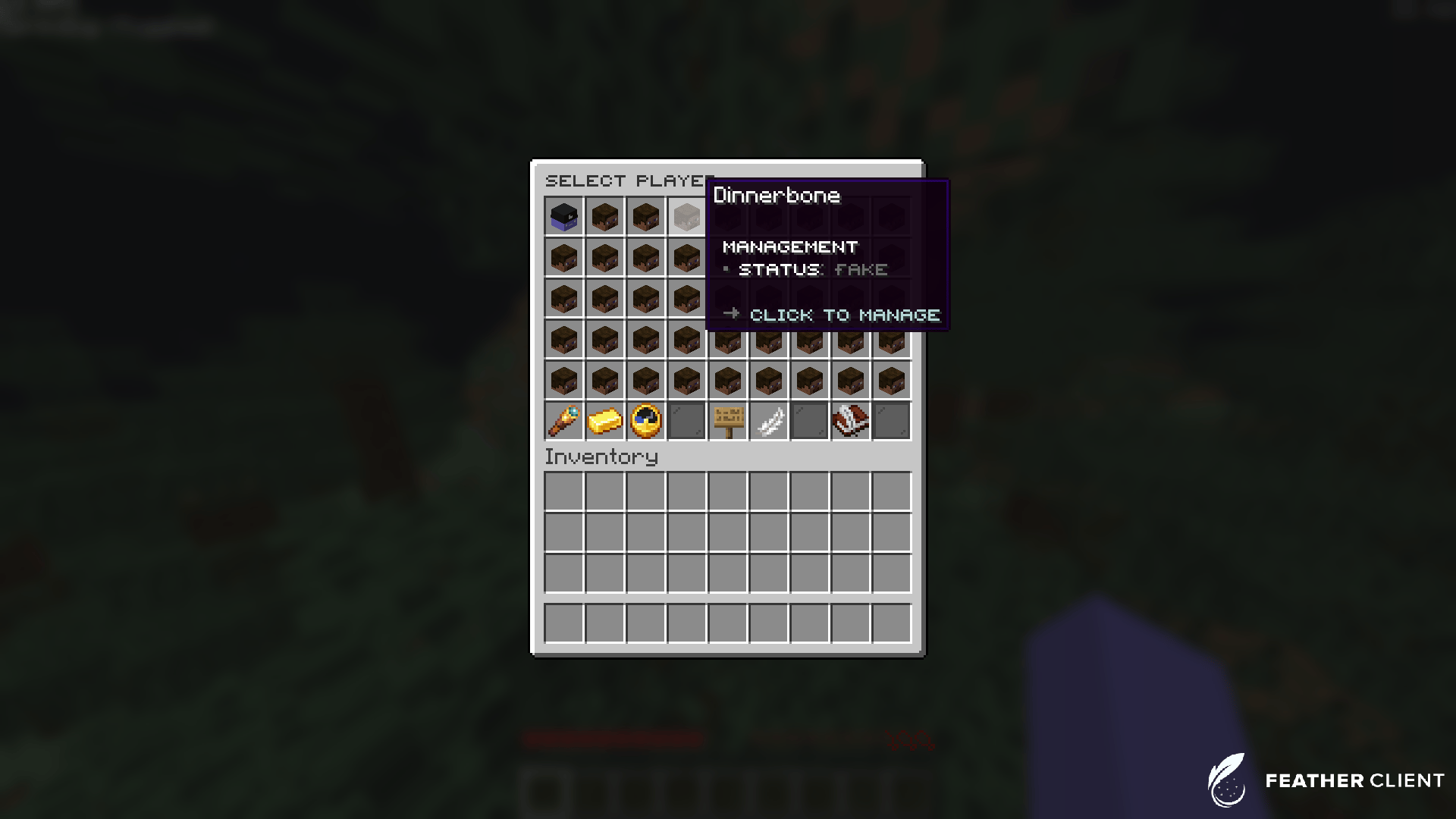
Typing out long commands and UUIDs for offline players is tedious. SentryWipe includes a fully customizable, interactive GUI (/sw) to manage your entire player base visually.
Dynamic Filters
SentryWipe doesn’t just list players; it analyzes them. The GUI includes dynamic filters to help admins identify problematic accounts instantly.1
Catching Dupers (Wealth Filter)
You suspect someone is duplicating money. Open
/sw, click the High Wealth filter, and the GUI instantly sorts all online and offline players by their total balance. The culprit couldd be right at the top.2
Investigating Alts (Newest Connections)
Your server is being botted or a banned player is using alt accounts. By sorting with the Newest Connections filter, your admins can easily find and wipe the newly created accounts.
3
Suspicious Activity Filter
This filter cross-references playtime with statistics. If a player has only 5 minutes of playtime but 10,000 diamond blocks mined, they will be flagged for an admin to review and wipe.
3. Global Statistics Dashboard
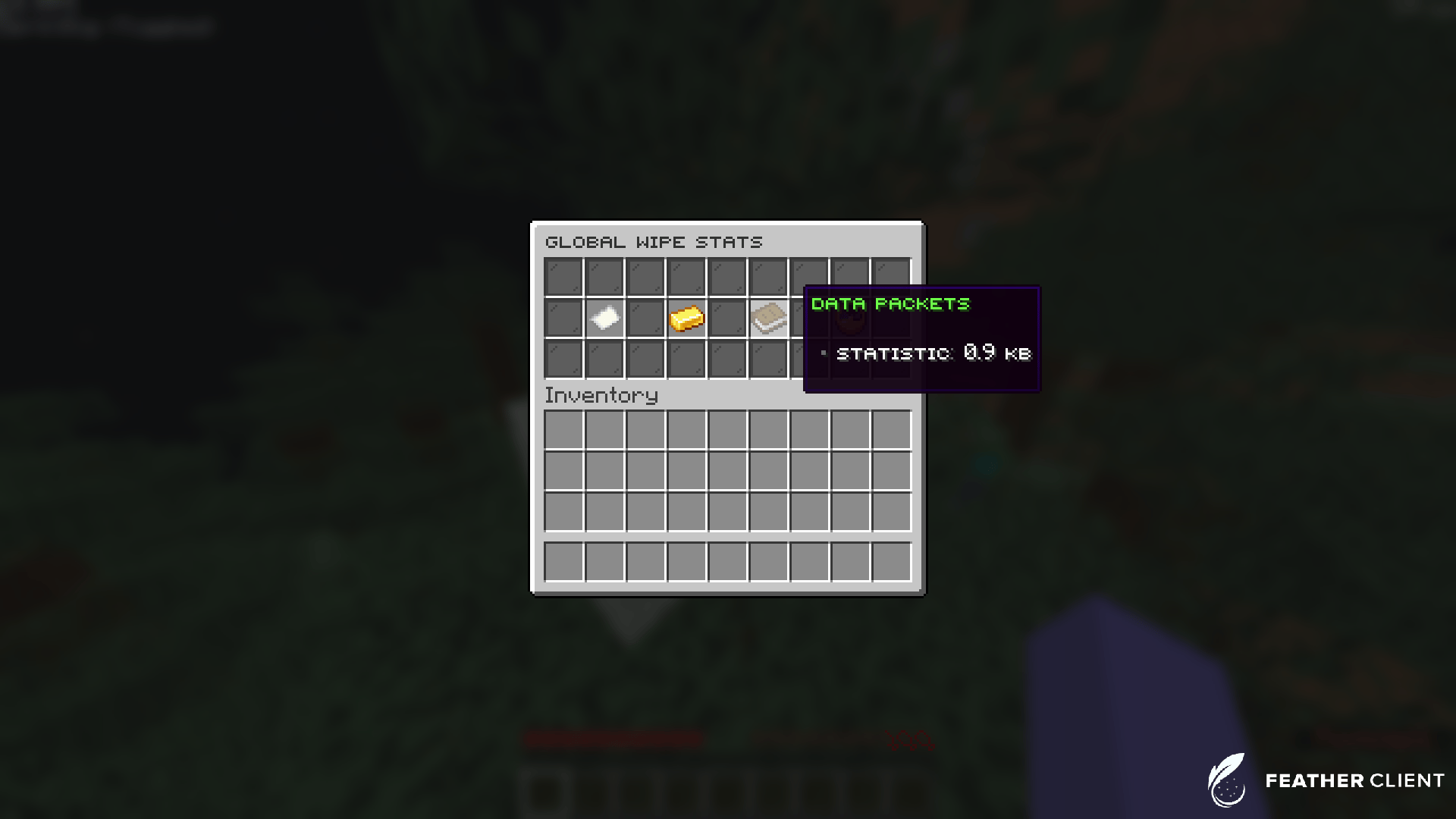
SentryWipe tracks the overall impact of your staff’s actions. By running/wipe stats (or clicking the stats button in the GUI), you can view global metrics.
Total Purges
Track exactly how many individual wipes have been executed over the lifetime of the server.
Economy Cleared
See the exact dollar amount of in-game currency that has been removed from the server economy via wipes.
Data Packets
Monitor how many kilobytes/megabytes of disk space SentryWipe has freed up by deleting
.dat and plugin files.Recent Activity
A quick glance at the timestamp of the most recent wipe action.
4. Data Recovery (Backup & Undo System)
Mistakes happen. An admin might type the wrong username, or you might accidentally run a global wipe with the wrong preset. SentryWipe’s Backup System ensures that no data is ever truly lost. Every single time a wipe is executed, SentryWipe takes a complete snapshot of the player’s data before deleting it. This snapshot is compressed and stored locally or in your database.Use Case: The Admin Typo
Your moderator meant to wipeNotch but accidentally typed /wipe Natch. Natch loses all their items. The moderator can simply type /wipe undo to instantly restore Natch’s data as if nothing happened.
Use Case: Testing Presets Safely
You created a new preset and want to test it on yourself. You run/wipe YourName custom_preset. You verify the wipe worked correctly, and then type /wipe undo to get your admin items and rank back.
5. The Auto-Purge System
As your server grows, your database and world files will become bloated with players who joined once for 5 minutes and never returned. The Auto-Purge system is a background task that runs periodically to automatically wipe inactive players.Real-World Use Cases
Optimizing Server Storage
Optimizing Server Storage
You run a massive network and your
/plugins/Essentials/userdata folder is gigabytes in size. You set Auto-Purge to 90 days and use a full wipe preset. SentryWipe silently cleans up thousands of dead files, dramatically improving your server’s startup time and disk space.Factions/Skyblock Claim Cleanup
Factions/Skyblock Claim Cleanup
On competitive servers, old claims take up valuable map space. By tying an Auto-Purge to a plugin hook, you can have SentryWipe automatically unclaim land when it purges an inactive player.
Protecting VIPs
Protecting VIPs
You don’t want a loyal VIP player to lose their data just because they went on a summer vacation. You give the
sentrywipe.bypass.purge permission to your VIP and Staff groups in LuckPerms. SentryWipe will skip them during the purge!6. Third-Party Plugin Hooks
Minecraft’s vanilla data (like.dat files) only tells half the story. Most player progression is stored inside other plugins. SentryWipe hooks directly into the APIs of the most popular plugins to ensure a true, complete wipe.
- Essentials / EssentialsX: Wipes player balances, homes, jails, and mails.
- LuckPerms: Strips the player of all parent groups, tracks, and individual permissions, returning them to the
defaultrank. - CMI: Wipes CMI-specific economy, homes, and player data.
Use Case: The Chargeback Ban
A player charges back their store purchase. You need to strip their paid rank. Instead of manually running LuckPerms commands, you run/wipe <player> full. SentryWipe hooks into LuckPerms and automatically removes their premium rank alongside their items.
7. Safe Testing & Dev Mode
Are you customizing the GUI and want to test it without accidentally wiping someone? SentryWipe includes a built-indev-mode. When enabled in the config.yml, the GUI will populate with fake players (e.g., Fake_Player01). You can click them, wipe them, and test all your preset menus and sounds—zero actual data will be harmed.

8. Audit Logging & Discord Webhooks
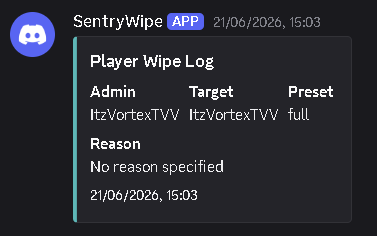
Accountability is critical when giving staff the power to delete player data. SentryWipe tracks everything and can broadcast directly to a private Discord channel via Webhooks.Use Case: Monitoring Staff Abuse
You check your private#admin-logs Discord channel and see that a Moderator has been softly wiping players without providing a valid reason. Because SentryWipe requires a reason, you can easily track rogue staff members.
Use Case: Global Wipe Announcements
You route the Discord Webhook to a public#announcements channel. When you run /wipeall seasonal, SentryWipe sends a massive, beautiful embed to your Discord letting the community know the new season has officially begun.