> ## Documentation Index
> Fetch the complete documentation index at: https://docs.sentrystudios.org/llms.txt
> Use this file to discover all available pages before exploring further.
# Server Navigation GUIs
> A bundle of high-quality, powerful navigation menus (Community, Store, and Voting) for your server.
Thank you for choosing the **Sentry Studios Server Navigation GUIs**. This configuration bundle provides a cohesive and visually stunning set of menus to direct your players to important external links like your store, discord, and voting sites.
 ***
## Included Menus
This package includes three standalone navigation menus that seamlessly integrate into your server.
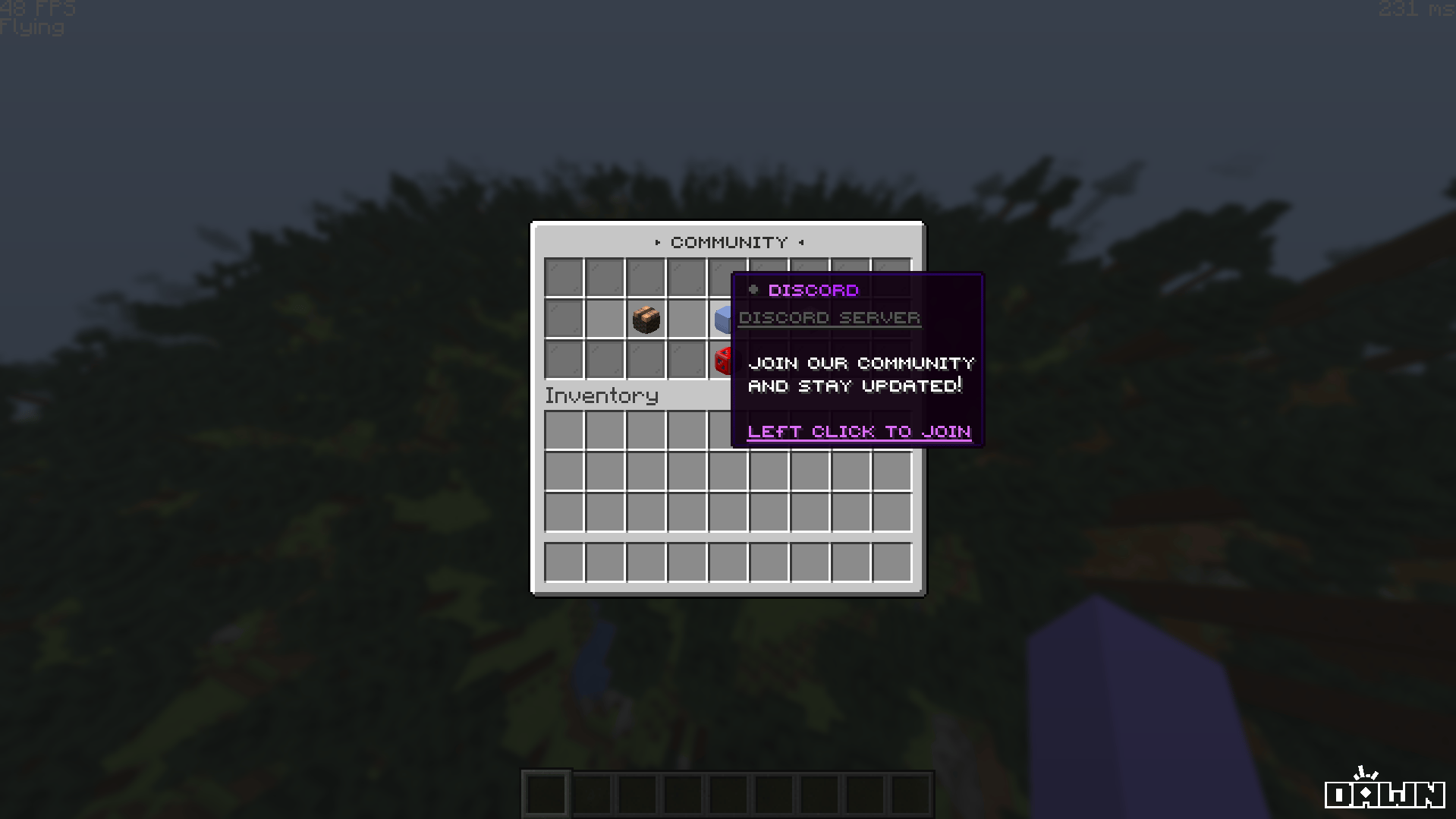
A centralized hub displaying your server's Discord, Website, and Store links in one sleek interface.
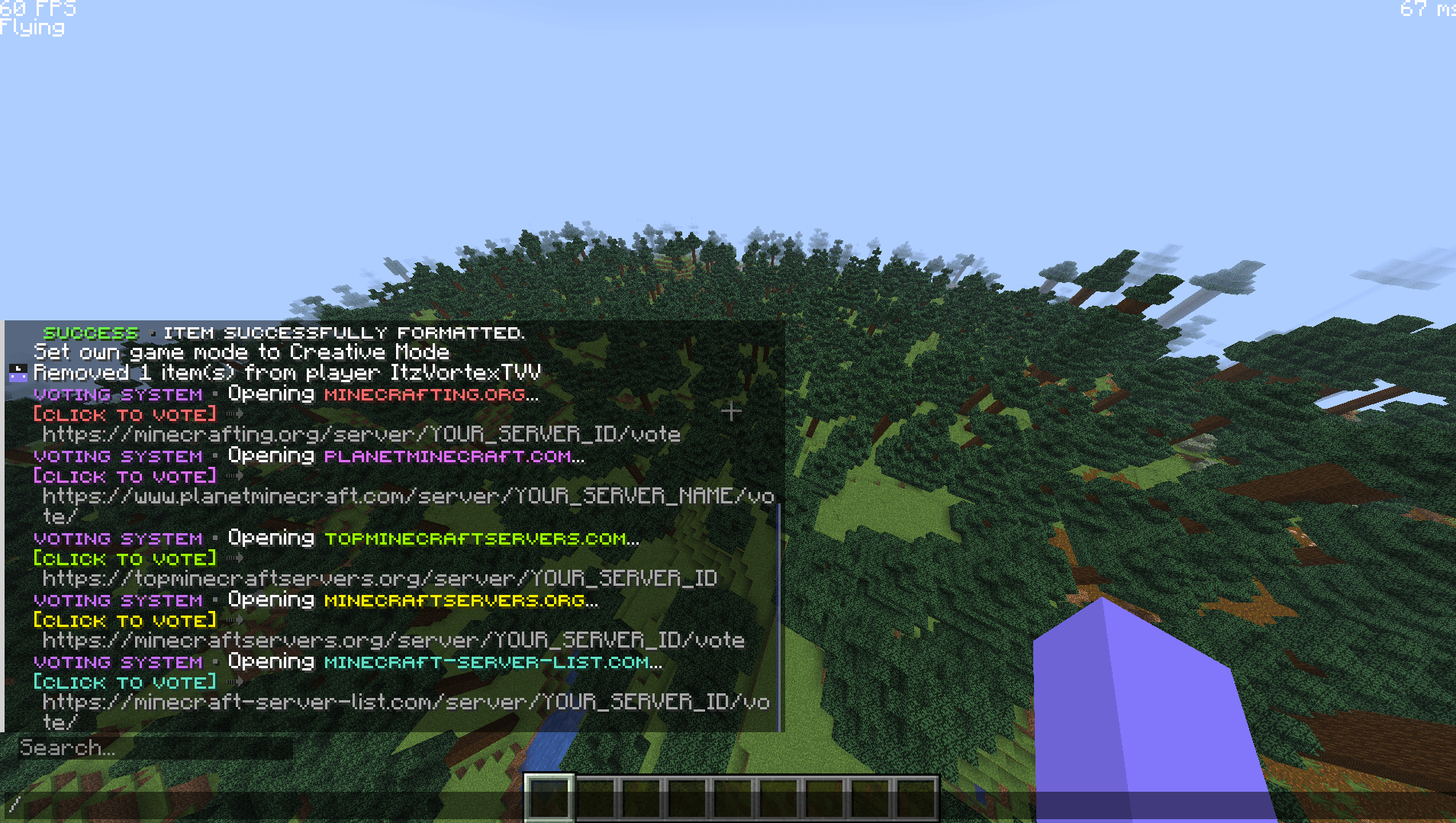
A dedicated menu providing direct clickable links to multiple voting sites, incentivizing player support.
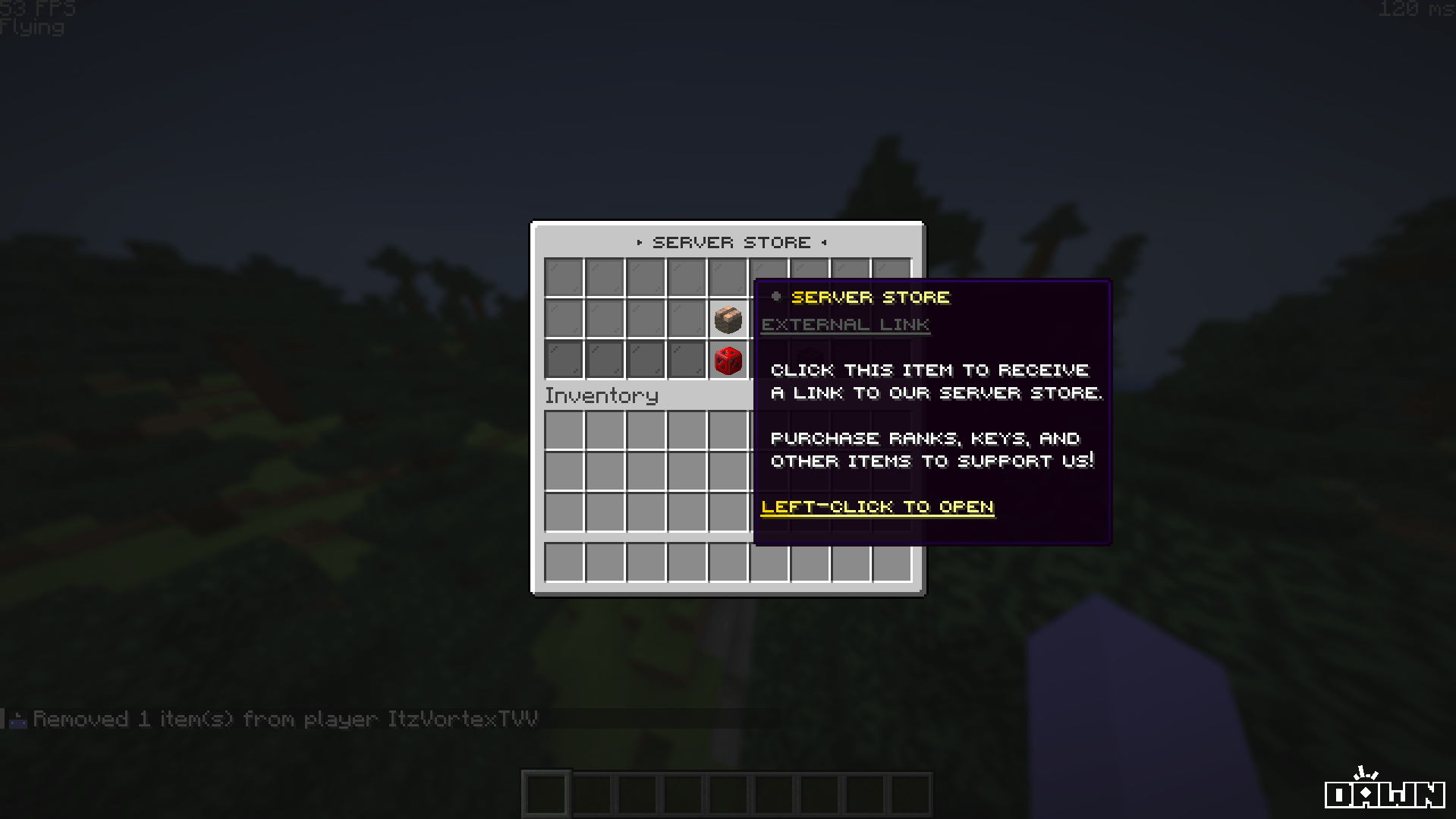
A dedicated `/buy` menu that pushes players directly to your webstore for ranks, keys, and bundles.
***
## Commands & Permissions
Each menu is bound to a series of intuitive aliases to ensure players can always find what they are looking for.
```yaml Community Menu theme={null}
# Aliases built into community.yml:
/community
/links
/info
/connect
/store
/discord
/website
```
```yaml Voting Menu theme={null}
# Aliases built into vote.yml:
/vote
/voting
/votes
```
```yaml Store Menu theme={null}
# Aliases built into buy.yml:
/buy
```
***
## Included Menus
This package includes three standalone navigation menus that seamlessly integrate into your server.
A centralized hub displaying your server's Discord, Website, and Store links in one sleek interface.
A dedicated menu providing direct clickable links to multiple voting sites, incentivizing player support.
A dedicated `/buy` menu that pushes players directly to your webstore for ranks, keys, and bundles.
***
## Commands & Permissions
Each menu is bound to a series of intuitive aliases to ensure players can always find what they are looking for.
```yaml Community Menu theme={null}
# Aliases built into community.yml:
/community
/links
/info
/connect
/store
/discord
/website
```
```yaml Voting Menu theme={null}
# Aliases built into vote.yml:
/vote
/voting
/votes
```
```yaml Store Menu theme={null}
# Aliases built into buy.yml:
/buy
```
By default, these menus require standard DeluxeMenus permission nodes to open (`deluxemenus.menu.community`, `deluxemenus.menu.vote`, `deluxemenus.menu.buy`). Ensure your default player group has these permissions!
***
## Configuration & Placeholders
**Important Step:** None of these menus use placeholders for external links automatically. You **must** open the YAML files and replace the placeholder URLs with your actual server links!
### Editing Links
To update the menus to point to your specific links, open the configuration files and locate the `click_commands` for each item.
Find the Discord, Website, and Store items and replace the `[message]` and `[close]` commands with your actual links.
Locate the individual voting site items. Replace `YOUR_SERVER_ID` and `YOUR_SERVER_NAME` in the URL strings with your exact listing URLs from sites like NameMC or PlanetMinecraft.
Locate the main store icon and replace the URL string with your exact webstore address (e.g., Tebex or CraftingStore).
 ***
## Installation Guide
Before installing, ensure you have **DeluxeMenus** installed on your server.
Unzip the downloaded Sentry Studios package, and drag and drop the `community.yml`, `buy.yml`, and `vote.yml` files into your server's `plugins/DeluxeMenus/gui_menus/other_menus/` folder.
Open your DeluxeMenus `config.yml` file and register all three menus under the `gui_menus:` section:
```yaml config.yml theme={null}
gui_menus:
community:
file: other_menus/community.yml
buy:
file: other_menus/buy.yml
vote:
file: other_menus/vote.yml
```
Finally, reload DeluxeMenus to apply the new configurations:
```bash theme={null}
/dm reload
```
***
## Troubleshooting
Ensure you registered the file correctly in your `config.yml` and that there are no YAML spacing errors. After registering, you must run `/dm reload` for it to take effect and restart server for TAB completers to show!
Give your default player group the `deluxemenus.menu.community`, `deluxemenus.menu.vote`, and `deluxemenus.menu.buy` permissions via your permissions plugin (like LuckPerms).
Make sure you have fully replaced the placeholder text (like `YOUR_SERVER_ID`) with your exact voting or store URL. Also, ensure the link starts with `https://` so Minecraft recognizes it as clickable in chat!
***
## Installation Guide
Before installing, ensure you have **DeluxeMenus** installed on your server.
Unzip the downloaded Sentry Studios package, and drag and drop the `community.yml`, `buy.yml`, and `vote.yml` files into your server's `plugins/DeluxeMenus/gui_menus/other_menus/` folder.
Open your DeluxeMenus `config.yml` file and register all three menus under the `gui_menus:` section:
```yaml config.yml theme={null}
gui_menus:
community:
file: other_menus/community.yml
buy:
file: other_menus/buy.yml
vote:
file: other_menus/vote.yml
```
Finally, reload DeluxeMenus to apply the new configurations:
```bash theme={null}
/dm reload
```
***
## Troubleshooting
Ensure you registered the file correctly in your `config.yml` and that there are no YAML spacing errors. After registering, you must run `/dm reload` for it to take effect and restart server for TAB completers to show!
Give your default player group the `deluxemenus.menu.community`, `deluxemenus.menu.vote`, and `deluxemenus.menu.buy` permissions via your permissions plugin (like LuckPerms).
Make sure you have fully replaced the placeholder text (like `YOUR_SERVER_ID`) with your exact voting or store URL. Also, ensure the link starts with `https://` so Minecraft recognizes it as clickable in chat!