> ## Documentation Index
> Fetch the complete documentation index at: https://docs.sentrystudios.org/llms.txt
> Use this file to discover all available pages before exploring further.
# AFK Rewards GUI
> A centralized hub for players to claim rewards, exchange points.
Thank you for choosing the **Sentry Studios AFK Rewards GUI**. This configuration provides a powerful, interactive shop menu for your players to exchange their hard-earned AFK points for coins or server money.
 ***
## Key Features
The AFK GUI connects directly to ExcellentEconomy and EssentialsX to provide a seamless reward experience.
Allows players to exchange their AFK points for either standard server money (Vault/Essentials) or premium Coins (ExcellentEconomy).
Utilizes javascript expressions to ensure players actually have enough points before purchasing, preventing negative balances.
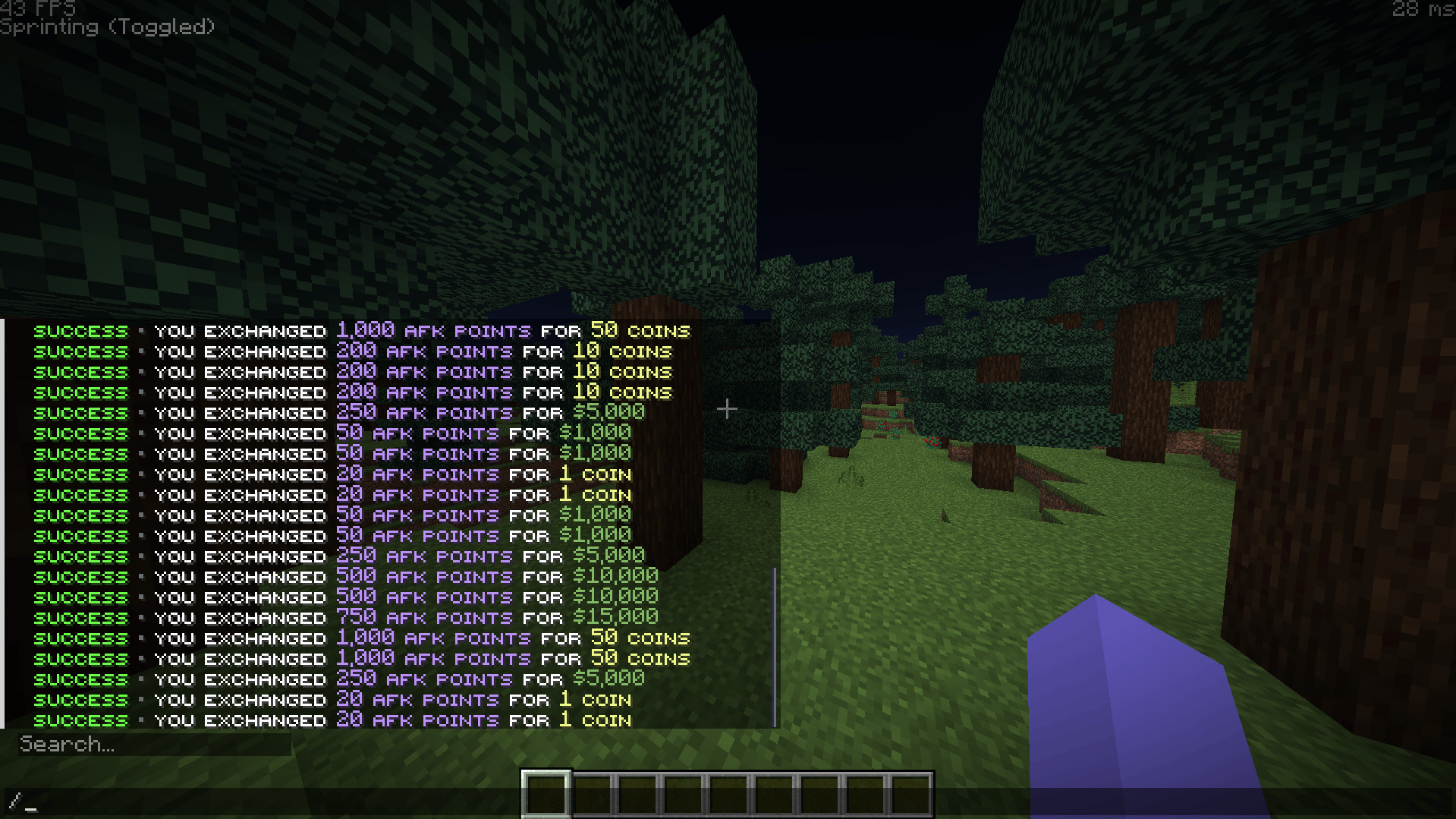
Clicking a reward plays a level-up sound and outputs a sleek, color-coded success message directly into the player's chat.
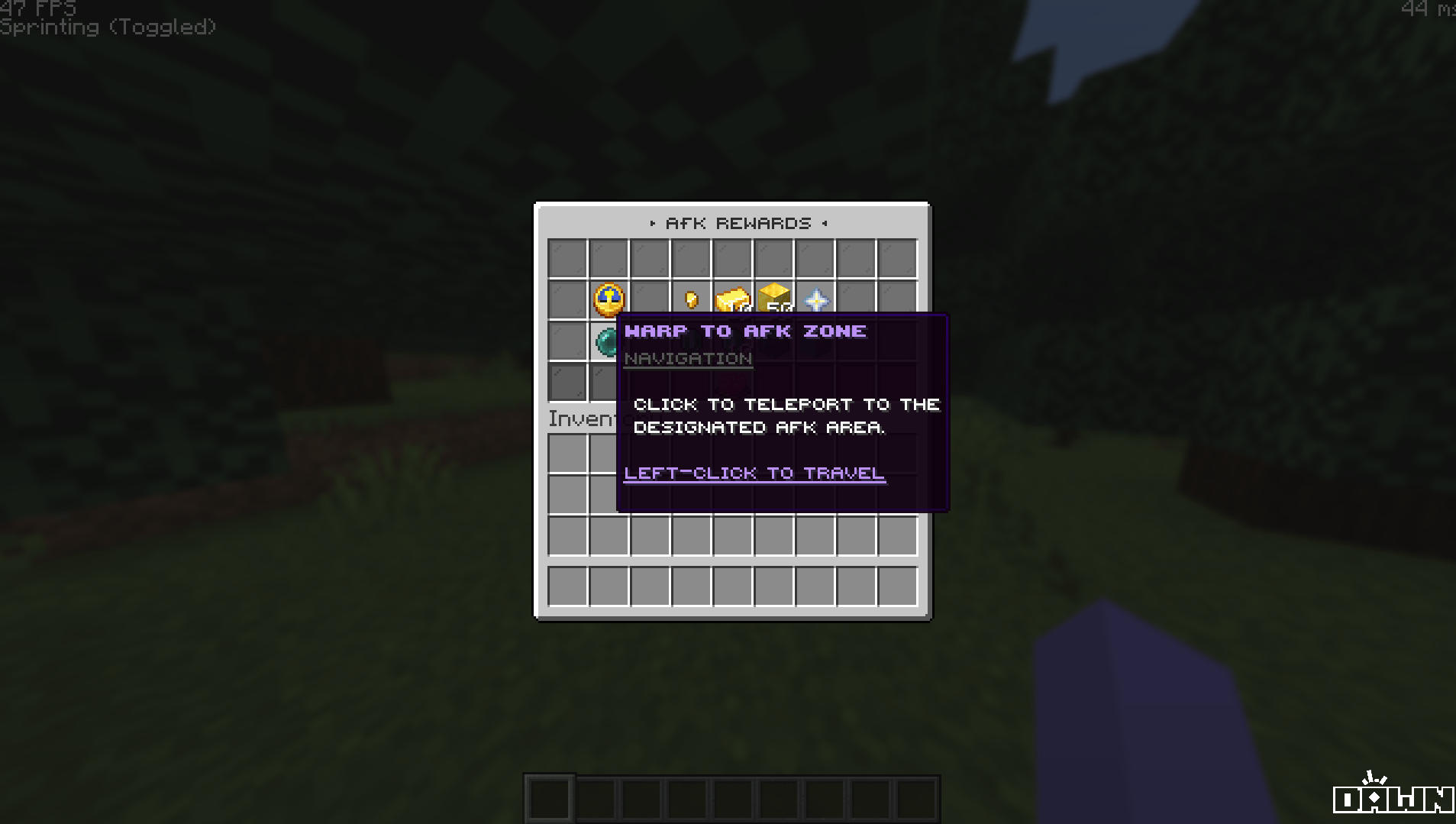
Includes a dedicated button to instantly teleport players directly to the server's AFK zone.
***
## Key Features
The AFK GUI connects directly to ExcellentEconomy and EssentialsX to provide a seamless reward experience.
Allows players to exchange their AFK points for either standard server money (Vault/Essentials) or premium Coins (ExcellentEconomy).
Utilizes javascript expressions to ensure players actually have enough points before purchasing, preventing negative balances.
Clicking a reward plays a level-up sound and outputs a sleek, color-coded success message directly into the player's chat.
Includes a dedicated button to instantly teleport players directly to the server's AFK zone.
 ***
## Available Exchanges
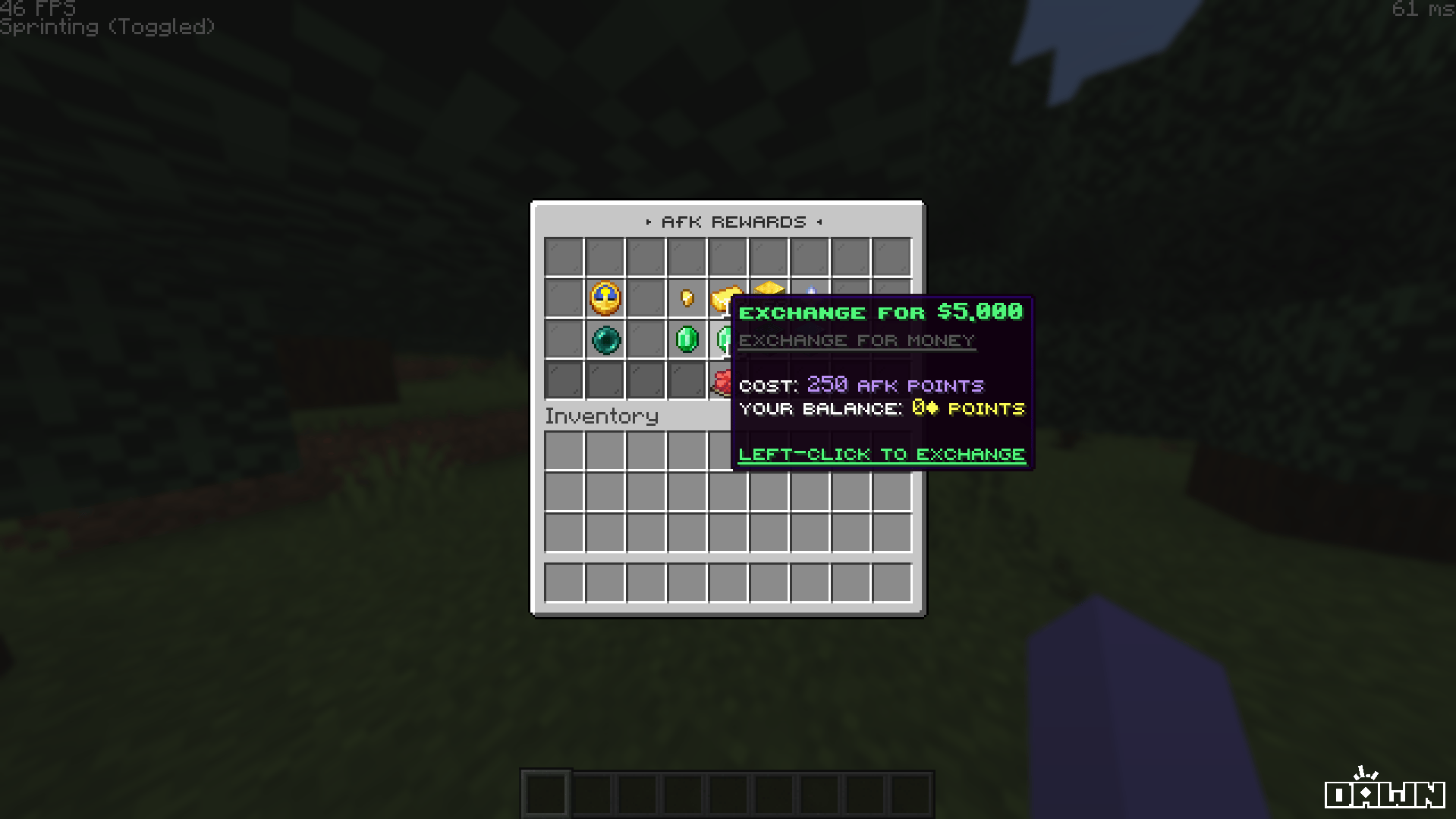
By default, the GUI comes pre-configured with two rows of rewards using the ExcellentEconomy currencies provided in the package.
***
## Available Exchanges
By default, the GUI comes pre-configured with two rows of rewards using the ExcellentEconomy currencies provided in the package.
 **Cost:** 20 AFK Points = 1 Coin
Includes exchange buttons for 1, 10, and 50 Coins.
**Cost:** 5 AFK Points = \$100
Includes exchange buttons for \$100, \$500, and \$1,000.
**Want to customize costs?** You can easily change the prices by modifying the `click_requirement` expression (e.g., `%ExcellentEconomy_balance_raw_afkpoints% >= 20`) and the corresponding `click_commands` in the `afk.yml` file.
***
## Commands & Permissions
By default, the main GUI is bound to two easy-to-remember aliases.
```yaml Open Your AFK Shop theme={null}
# Aliases built into the configuration:
/afk
/afkshop
```
**Cost:** 20 AFK Points = 1 Coin
Includes exchange buttons for 1, 10, and 50 Coins.
**Cost:** 5 AFK Points = \$100
Includes exchange buttons for \$100, \$500, and \$1,000.
**Want to customize costs?** You can easily change the prices by modifying the `click_requirement` expression (e.g., `%ExcellentEconomy_balance_raw_afkpoints% >= 20`) and the corresponding `click_commands` in the `afk.yml` file.
***
## Commands & Permissions
By default, the main GUI is bound to two easy-to-remember aliases.
```yaml Open Your AFK Shop theme={null}
# Aliases built into the configuration:
/afk
/afkshop
```
The menu requires the permission node `deluxemenus.menu.afk` to open. By default, most permission managers grant access to DeluxeMenus to default players, but if your players get a "no permission" error, ensure they have this node!
***
## Installation Guide
Before installing, ensure you have the required dependencies: **DeluxeMenus**, **ExcellentEconomy**, **NightCore**, **EssentialsX**, and **PlaceholderAPI**.
This menu uses PlaceholderAPI for console commands. You **must** install the required expansions.
Run the following commands in your server console (or in-game as an OP):
```bash theme={null}
/papi ecloud download Player
/papi reload
```
**Do NOT** simply drag and drop the entire `ExcellentEconomy` folder into your plugins directory if you already use ExcellentEconomy. This will overwrite your existing config!
Instead, open the `ExcellentEconomy` folder from our package, and manually merge the contents of our `currencies` and `lang` folders into your server's `plugins/ExcellentEconomy/` directory.
Drag and drop the `afk.yml` file into your server's `plugins/DeluxeMenus/gui_menus/other_menus/` folder.
Open your DeluxeMenus `config.yml` file and register the menu under the `gui_menus:` section:
```yaml config.yml theme={null}
gui_menus:
afk:
file: other_menus/afk.yml
```
Make sure you have created an Essentials warp named `afk` by running `/setwarp afk` where you want your AFK zone to be.
Finally, reload both DeluxeMenus and ExcellentEconomy to apply the new configurations:
```bash theme={null}
/dm reload
/ee reload
```
***
## Troubleshooting
Ensure **EssentialsX** is installed so players can receive standard money, and ensure **ExcellentEconomy** is running properly with the `afkpoints` and `coins` currencies registered.
Ensure you registered the file correctly in your `config.yml` and that there are no YAML spacing errors. After registering, you must run `/dm reload` for it to take effect.
You must create the warp using EssentialsX. Stand in your AFK area and run `/setwarp afk`.